Is Your Team AI READY+?
Assess Readiness. Experience Copilot. Take Action.
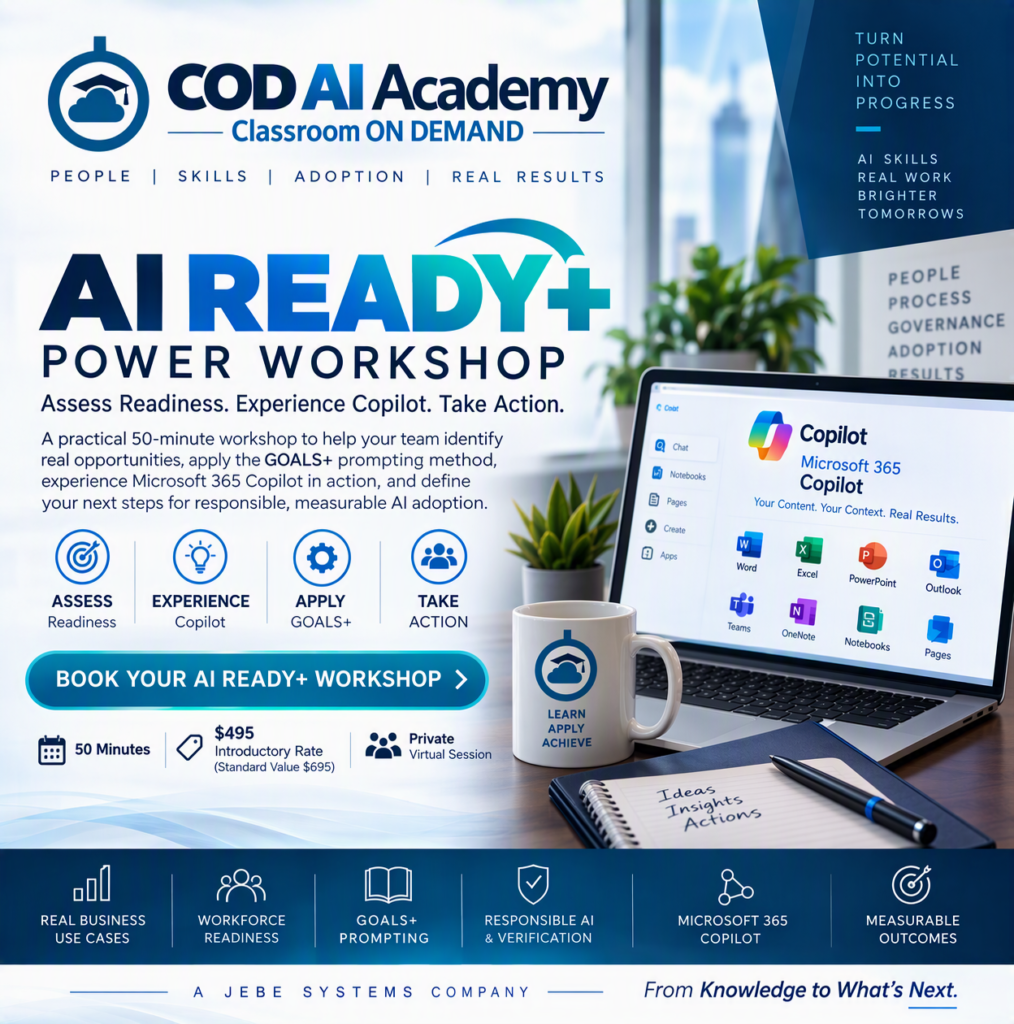
Move beyond AI curiosity and generic demonstrations No coding. No AI hype. No theoretical lecture.
In one focused 50-minute private workshop, your team will assess where your organization stands today, learn the GOALS+ Business Prompting Method, experience AI applied to a realistic business scenario using Microsoft 365 Copilot, and identify practical next steps for responsible AI adoption.
Just a practical business experience designed to help your team answer three questions:
Where can AI create value?
Are we ready to use it effectively?
What should we do next?
Turn AI Potential Into Business Action
Most organizations aren’t struggling to find AI tools.
They’re trying to determine where AI actually fits into the way people work.
AI READY+ helps your team connect the pieces.
Instead of starting with technology, we start with the business:
- What outcome are you trying to achieve?
- Which workflows are good candidates for AI assistance?
- Are employees prepared to work effectively with AI?
- What information should ground the work?
- Where is human judgment required?
- How will you know whether AI is actually creating value?
You’ll then see those principles applied in a realistic Microsoft 365 workflow using Copilot, curated project information, Notebooks, Pages, and familiar productivity applications.
The objective isn’t simply to generate an AI response.
It’s to produce useful, grounded, reviewable work that supports a real business outcome.
Ready to Book a Workshop?
What to Expect
1. AI Readiness Pulse
Start with a quick organizational self-assessment across five areas:
Strategy
Do you know which business outcomes AI should improve?
People
Do employees have the skills and confidence to use AI effectively?
Process
Have you identified workflows where AI assistance makes sense?
Governance
Do employees understand boundaries, appropriate use, and human review?
Measurement
Can you determine whether AI is producing meaningful business value?
You’ll leave with a clearer picture of where your organization appears strongest and where additional attention may be needed.
This is a readiness pulse, not a formal audit or assessment.
2. Learn the GOALS+ Business Prompting Method
Good business prompting starts before you type the prompt.
AI READY+ introduces the proprietary COD AI Academy GOALS+ Business Prompt Canvas:
G — Goal
What are you trying to accomplish?
O — Outcome
What will a successful result enable?
A — Audience
Who will use, review, or act on the result?
L — Limits
What boundaries, exclusions, and assumptions apply?
S — Sources
What authoritative information should ground the work?
+ Context
What background does AI need to understand?
+ Output
What should the finished result look like?
+ Verification
How will facts, numbers, sources, and assumptions be checked?
+ Action
Who owns the decision, next step, or escalation?
You’ll see the difference between simply asking AI a question and defining business-ready work.
3. Experience Microsoft 365 Copilot in Action
We’ll apply GOALS+ to Project Northstar, a completely synthetic business project created specifically for COD AI Academy demonstrations.
Watch the workflow progress from:
Business Goal
→ GOALS+ Prompt
→ Microsoft 365 Copilot
→ Curated Project Context
→ Copilot Notebook
→ Copilot Page
→ Human Verification
→ Business Artifact
The demonstration intentionally includes incomplete and conflicting project information.
Why?
Because business information isn’t always clean.
You’ll see why a polished AI answer should still be treated as a draft requiring judgment and verification, especially when important decisions are involved.
4. Learn to STOP Before You Trust the Output
AI READY+ introduces a second COD AI Academy discipline:
STOP
S — Sources
Are the sources authoritative, appropriate, and current?
T — Traceability
Can important claims, dates, and numbers be traced back to evidence?
O — Ownership
Who is responsible for verifying, deciding, and approving?
P — Permission & Privacy
Are access, sharing, and sensitive-information requirements appropriate?
The objective isn’t to slow AI down.
It’s to help people use AI with greater confidence and accountability.
5. Apply It to Your Own Business Workflow
This isn’t a watch-only presentation.
Bring one recurring knowledge-work activity your organization would like to improve.
Examples might include:
- Executive briefings
- Project status reporting
- Meeting preparation
- Research
- Document summarization
- Internal communications
- Proposal development
- Policy review
- Business analysis
- Knowledge retrieval
During the workshop, you’ll begin applying GOALS+ to your selected scenario.
Your takeaway isn’t another list of prompt tips.
It’s the beginning of a repeatable business workflow.
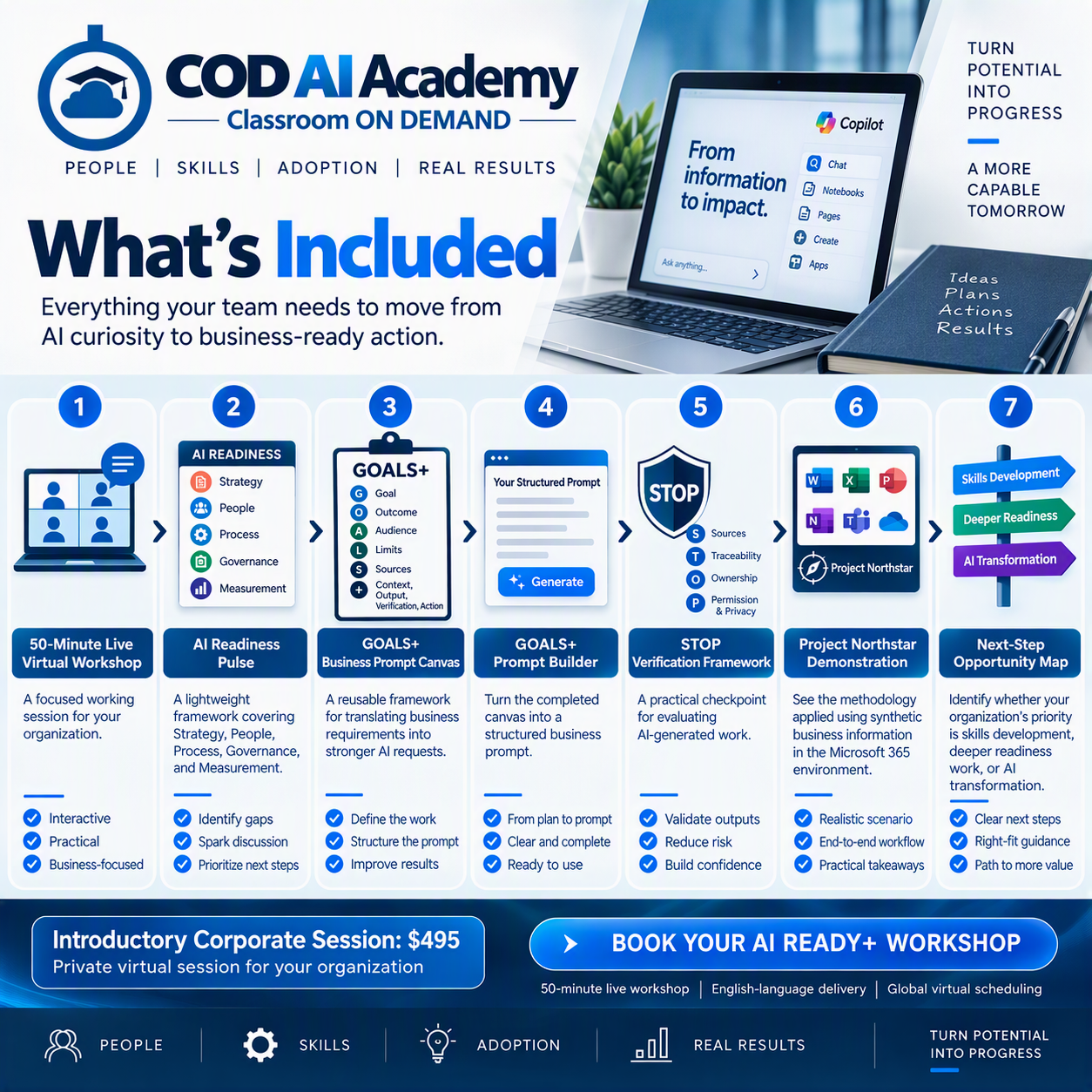
What Your Organization Receives
Every private AI READY+ workshop includes:
50-Minute Live Virtual Workshop
A focused working session for your organization.
- AI Readiness Pulse
- GOALS+ Business Prompt Canvas
- GOALS+ Prompt Builder
- STOP Verification Framework
- Project Northstar Demonstration
- Next-Step Opportunity Map
Benefits
Move Beyond Random Prompting
Give employees a repeatable method for defining outcomes, context, sources, boundaries, verification, and action.
Connect AI to Real Work
Focus on business workflows rather than disconnected AI features.
Experience AI Safely
The workshop demonstration uses synthetic project information, allowing participants to explore business scenarios without using organizational confidential data.
Build Better Human Oversight
Learn where verification, ownership, permissions, and human judgment belong in an AI-assisted workflow.
Identify Readiness Gaps
Surface early questions around workforce skills, governance, business processes, and measurement.
See Microsoft 365 Copilot in Context
Experience Copilot as part of a broader business workflow rather than as an isolated chatbot.
Leave With Something Usable
Participants leave with practical frameworks they can apply to appropriate business scenarios immediately.
Find Your Next Step
Determine whether your organization needs deeper workforce training, a formal readiness engagement, or transformation support.
Who Should Attend?
AI READY+ is designed for organizations exploring, piloting, deploying, or expanding AI and Microsoft 365 Copilot.
The session is especially relevant for:
- Business leaders
- IT leaders
- Microsoft 365 teams
- Learning & Development
- HR and Talent Development
- Digital Transformation teams
- Organizational Development
- Adoption and Change teams
- PMO and program leadership
- Business operations teams
- Internal AI champions
No development or coding experience is required.
Reserve Your Workshop Today!
Get in touch
Call us directly?
Address